
What is a microcontroller and how does it work?
This tiny system has memory, input and output parts, and a processor together. You find a microcontroller in many products. It does control tasks quickly and well.
Table of Contents
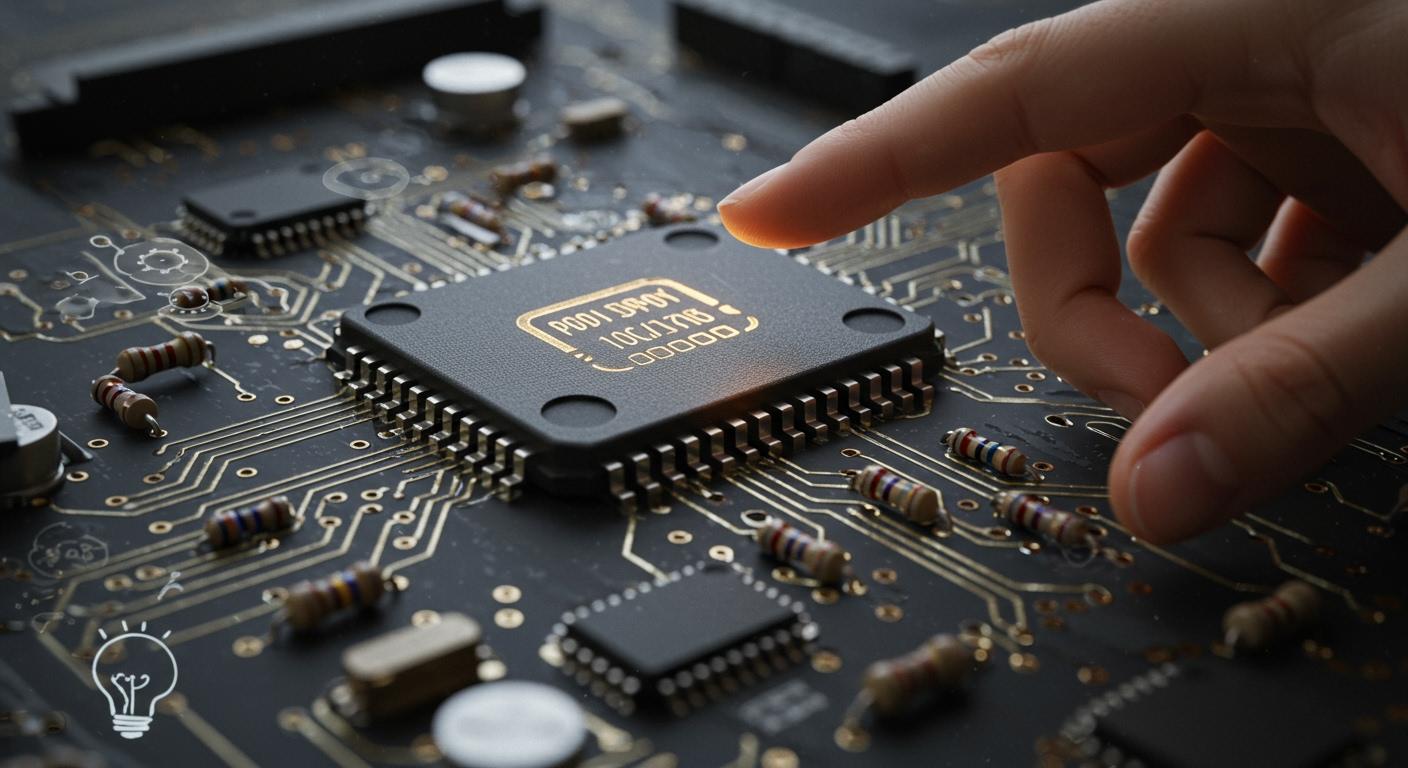
You use devices every day that need a microcontroller to work. A microcontroller is a small, cheap computer on a chip. It is also called a singlechip. It controls certain jobs inside a device. This tiny system has memory, input and output parts, and a processor together. You find a microcontroller in many products. It does control tasks quickly and well. For example, you see microcontrollers in:
- Cars, where they help with engine work and safety.
- Coffee makers, where they set temperature and brewing time.
- IoT devices, where they run smart thermostats and security systems.
A microcontroller is a small, complete unit made for embedded uses.
Key Takeaways
- A microcontroller is a tiny computer on a chip. It controls tasks in many devices. It has a CPU, memory, and input/output parts together in one unit.
- Microcontrollers are in things we use every day. You can find them in cars, coffee makers, and smart devices. They help make things work by themselves and save time.
- The singlechip design of microcontrollers saves space and power. This makes them great for small and low-power uses.
- Microcontrollers are not the same as microprocessors. Microcontrollers do special jobs. Microprocessors do harder jobs and need more parts.
- You can program microcontrollers at home with easy tools. This lets you make your own projects and control devices simply.
Microcontroller Basics
What Is a Microcontroller
A microcontroller is like a tiny computer made for one job. It is a small chip that does certain tasks in a device. You find it in things that run simple programs, like turning on lights or checking sensors. The microcontroller unit, or MCU, has all the parts needed to control a device on one chip. This makes it different from a normal computer chip, which needs extra pieces to work.
Here is a table that shows how a microcontroller and a microprocessor are different:
| Feature | Microcontrollers | Microprocessors |
|---|---|---|
| Integrations | Have CPU, memory, and I/O on one chip. | Need outside memory and more parts. |
| Applications | Good for special, low-power jobs. | Best for general, fast tasks. |
| Performance | Made for saving power, works at slower speeds. | Built for hard jobs, runs at faster speeds. |
| Operational costs | Cheap and simple to program. | Cost more and need special skills. |
Microcontrollers are used when you want small size, low power, and easy programming. That is why you see them in many things you use every day.
Singlechip Structure
The singlechip design makes a microcontroller special. You get the CPU, memory, and input/output (I/O) ports all in one chip. This saves space and power in an embedded system. You do not need extra parts to make it work. You can put a singlechip in small devices, and it still works well.
Tip: The singlechip design helps you build devices that are smaller, cheaper, and more reliable. You do not need to connect lots of chips.
Using a singlechip makes your device easier to program and simpler. It also lowers the cost and uses less energy. This is why singlechip microcontrollers are found in toys, medical tools, and more.
Key Components
Every microcontroller has main parts that help it work. You should know these microcontroller basics to understand how devices run programs.
Here are the key components you find in most microcontrollers:
| Component | Role |
|---|---|
| Central Processing Unit | Runs instructions and does math, acting as the core. |
| Memory | Has program memory (flash) for code and data memory (RAM) for variables. |
| Input/Output (I/O) | Connects to the outside world with pins, timers, and communication ports. |
| Interrupt Controller | Decides which part can stop the CPU, so important jobs get done first. |
| Timer/Counter | Counts time and events, needed for timing. |
| Debugging Unit | Helps find and fix software problems, making things work better. |
| Interfaces | Lets the microcontroller talk to other devices using SPI, USB, and more. |
- CPU: This is the brain of the microcontroller. It runs the instructions you give it.
- Memory: There are two main types. Volatile memory (RAM) is fast but loses data when power is off. Non-volatile memory (flash) keeps data even when power is gone. You use non-volatile memory for your program and important data.
- I/O Ports: These let the microcontroller talk to things outside. You can connect buttons, sensors, lights, or motors.
- Peripherals: These are extra features, like timers, counters, and communication ports. They help your device do more without extra chips.
A microcontroller fits a lot into a small chip. This makes it great for devices that need to be small, cheap, and easy to program. When you learn microcontroller basics, you see why the singlechip design is so helpful for an embedded system.
How It Works
Component Interaction
Inside a microcontroller, three main parts work together. The CPU is the brain. It reads instructions and makes choices. Memory keeps your program and stores data. Input/Output (I/O) ports help the microcontroller talk to other things. You can connect sensors, buttons, or motors to these ports.
- CPU (Central Processing Unit) – runs instructions and controls tasks.
- Memory – keeps your program and data for tasks.
- Input/Output (I/O) Ports – let the microcontroller talk to devices like sensors and screens.
The CPU gets instructions from memory. It uses I/O ports to get data or send signals. These parts work together to finish jobs fast and well.
Note: Microcontrollers use special ways to talk to other devices. You might see UART, SPI, I2C, CAN, or USB used for different jobs. Each way helps the microcontroller share data with sensors, screens, or other chips.
Task Execution
You can see how a microcontroller works with a simple example. Imagine you want to check room temperature using a sensor. The microcontroller reads the sensor through an I/O port. The CPU looks at this data and checks if the temperature is too high. If it is, the microcontroller sends a signal to turn on a fan.
Here is how the microcontroller does these jobs:
| Step | What Happens |
|---|---|
| 1. Read Input | The microcontroller gets data from the temperature sensor. |
| 2. Process Data | The CPU checks the temperature saved in memory. |
| 3. Decide Action | The microcontroller compares the value to a set limit. |
| 4. Control Output | If needed, the microcontroller turns on the fan using an I/O port. |
The microcontroller repeats these steps many times each second. It watches inputs and controls outputs based on your program. This makes microcontrollers great for jobs that need quick and steady answers.
Microcontroller Applications
Microcontroller applications help shape the world you live in. These tiny chips are inside many things at home and at work. They run simple programs and control important jobs. You use microcontroller applications every day, even if you do not see them.
Everyday Devices
Microcontroller applications are in many things you use at home. These chips help your appliances work better and save energy. Here are some ways you use them at home:
- Washing machines use microcontrollers to set wash cycles and water.
- Air conditioners change temperature and fan speed with microcontrollers.
- Refrigerators keep food cold by controlling cooling and defrosting.
- Microwaves use microcontrollers to set cooking time and power.
- Smartwatches count your steps and heart rate with microcontrollers.
- Smart lights let you change brightness and color from your phone.
- Home automation systems connect devices and let you control them.
You use microcontroller applications in smart TVs, speakers, and fitness trackers. These devices collect data and do jobs quickly. The internet of things links these products, making your home smarter and saving energy.
Industry Uses
Microcontroller applications are important in many industries. You find them in cars, factories, hospitals, and energy systems. These chips run programs that help work get done and make things safer.
- Automotive: Microcontrollers control engines, record data, and manage energy.
- Manufacturing: Robots and automation systems use microcontroller applications.
- Energy: Microcontrollers help control power and manage systems.
- Healthcare: Devices use microcontrollers to watch patients and control tools.
- Robotics: Microcontroller applications help robots move and do tasks.
Microcontroller applications make devices smarter and more dependable. You see them in the internet of things, where they connect sensors and machines. Ultra-low-power microcontrollers help devices last longer without new batteries. This matters for smart homes, healthcare, and factories.
Microcontroller applications power today’s technology. You get faster, safer, and better devices every day. These chips help you live, work, and have fun in a connected world.
Microcontroller vs Microprocessor
Key Differences
You may wonder how these two are not the same. Both help devices work, but they are different. A microcontroller is a full system on one chip. It has memory, input/output ports, and a CPU together. You get everything needed for control in one small part. A microprocessor is just the brain of a system. It needs extra memory and input/output chips to work.
Here is a table that shows the main differences:
| Feature | Microprocessor | Microcontroller |
|---|---|---|
| Memory | External RAM and ROM | Built-in RAM and ROM |
| Peripherals | Needs external I/O | On-chip I/O (UART, SPI, I2C, GPIO) |
| Bus System | External data and address buses | Internal control bus |
| Architecture | Von Neumann | Harvard |
| Component Count | CPU-only | CPU + Memory + I/O |
| Instruction Execution | Sequential | Parallel via internal modules |
A microcontroller uses Harvard architecture. This lets it get instructions and data at the same time. It is fast for control jobs. A microprocessor uses Von Neumann design. Here, program and data share the same memory.
You will see that a microcontroller costs less and uses less power. This makes it good for small, battery-powered devices.
Use Cases
Microcontrollers are in many things you use every day. They control washing machines, microwaves, and smart thermostats. In cars, they help with engines, airbags, and brakes. Factories use them to run machines and watch systems. These chips are best for low power and simple jobs.
Microprocessors are found in computers and tablets. They do hard jobs, run many programs, and handle lots of data. You see them in laptops, desktops, and servers. If you need speed and to do many things, use a microprocessor.
Here are some examples:
- Home appliances: Washing machines, microwaves, and refrigerators.
- Automotive systems: Engine control units, airbags, and anti-lock brakes.
- Consumer electronics: Cameras, remote controls, and gaming consoles.
- Industrial automation: Machinery control and system monitoring.
If you want a device to do one job and save energy, use a microcontroller. If you want a device to do many jobs at once, use a microprocessor.
You now know a microcontroller is a small chip that does certain jobs in devices. It has a processor, memory, and input/output parts all together.
- Microcontrollers are found in cars, home gadgets, and medical devices.
- They help make work automatic, keep things safe, and bring new tech.
When you learn these basics, you can see how microcontrollers change the world. Find out how they help make electronics better and make life simpler.
 Understanding Motor Drivers: A Comprehensive Guide
 What Is a Robot Marathon Really Testing?
 What Is the Meaning of Humanoid Robots Running a Marathon?
 What Is the Difference Between RV Reducers and Harmonic Reducers in Industrial Robots?